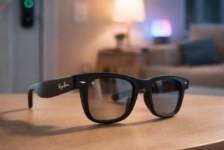

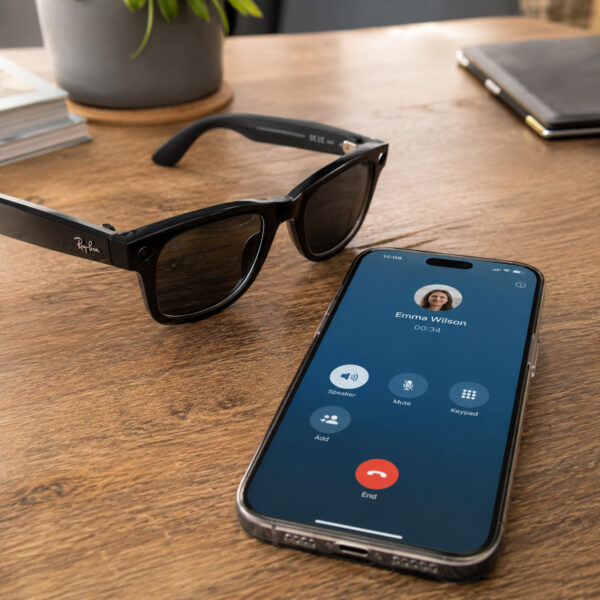
Meta has announced new accessibility features for its AI glasses ahead of Global Accessibility Awareness Day, and two of them deserve particular attention.
Soon, users will be able to manage calls on WhatsApp, Messenger, Instagram and Be My Eyes by voice. That includes muting, unmuting, turning video on or off, and hanging up without touching their glasses or phone.
As with many Meta AI glasses updates, these features are rolling out and availability may vary by country, language, device and software version.
The two most important additions are the ability to hang up by voice and to turn video on or off by voice during video calls.
For many people, these will be useful conveniences. For disabled people with limited hand mobility, they are much more than that. They mean being able to end an unwanted call, stop a spam call, turn off the camera for privacy, or switch video on when showing someone what they can see, all without reaching for a phone or touching the side of a pair of glasses.
That is exactly the kind of practical accessibility that often gets overlooked. It is not spectacular. It is not a futuristic demo. It is a simple control that can make an everyday task work properly for more people.
Meta’s timing is also significant. Global Accessibility Awareness Day is meant to focus attention on digital access and inclusion. Meta’s announcement is a useful example of why accessibility is not only about specialist products or formal compliance. It is also about ordinary moments: answering a call, turning a camera off, muting a microphone, or ending a conversation when you need to.
Meta’s wider announcement also includes:
- group calling and service directory support with Be My Eyes.
- one-touch shortcuts on Ray-Ban Meta Optics styles and Oakley Meta Vanguard glasses.
- real-time captioned calls on Meta Ray-Ban Display glasses.
- third-party accessibility apps using Meta’s Wearables Device Access Toolkit.
Those are important developments. But the new in-call voice controls stand out because they address something basic: the ability to manage communication without touching a screen, frame or button.
This has been a long-standing accessibility gap
I have been asking technology companies to take this kind of issue seriously for years.
Back in 2020, I spoke to The Register about the problem on Apple devices. At the time, Siri could place a call by voice, but there was no equivalent “Hey Siri, end call” command. That created a very practical problem. If a call went to voicemail, a disabled person might have to wait until the voicemail system timed out before the call ended.
That may sound like a small inconvenience if you can tap a screen. It is not small if you cannot.
Apple later addressed this on iPhone with Siri Call Hangup, which allows users to end phone and FaceTime calls by asking Siri to hang up. Apple notes that the person on the other end will hear the command.
After that, the same issue became obvious on smart glasses. If Meta’s glasses could make and receive calls hands-free, they also needed to let users manage those calls hands-free. In my Ray-Ban Meta Gen 2 review, I called for the ability to hang up calls and turn video on or off by voice, because both features are essential if the glasses are to work as a genuinely hands-free communication tool.
Meta is now moving in that direction with a broader set of in-call controls. That is welcome.
Starting an action by voice is only half the job. Users also need to be able to stop, adjust, mute, unmute, turn video on or off, and recover from actions by voice.
Hang-up by voice closes the loop
The ability to hang up by voice matters because it completes the call experience.
If someone can answer a call hands-free, they should not have to rely on touch to end it. That is especially true for people who cannot easily reach a phone, tap a screen, press a button on earbuds or touch the side of their glasses.
Spam calls show the problem clearly.
For many people, an unwanted call is just annoying. They tap the red button, reject it, block the number or move on. But if you cannot easily touch your phone or glasses, the interruption can be much more disruptive.
A spam call can stop music, interrupt a task, break concentration, or leave the user waiting for the call to end. In some situations, the person may not be able to reach the device at all.
That is not a minor irritation. It is a loss of control over a device that is supposed to make life easier.
This is why “Hey Meta, hang up” is not just a nice extra. It closes a loop. It gives the user a proper hands-free call experience, from answering to ending.
Video on and off matters just as much
The ability to turn video on or off by voice when sharing your point of view during WhatsApp, Messenger or Instagram video calls is just as important as being able to hang up.
I called for this in my Ray-Ban Meta Gen 2 review because video calling is one of the areas where smart glasses could be genuinely useful for disabled people. If you cannot hold a phone, point a camera or easily touch a screen, glasses offer a natural point-of-view camera that is already in the right place.
Until now, turning video on during a WhatsApp, Messenger or Instagram call on Ray-Ban Meta glasses has required physically pressing the capture button on the arm of the glasses. For anyone who cannot easily reach their face, that creates an immediate barrier.
Being able to turn video on or off by voice matters for privacy, confidence and practical use. A user may want to show someone what they are seeing during a call, then quickly turn the camera off. They may want to start with audio only, then enable video when it becomes useful. They may need to stop video because they are in a private setting, speaking to a carer, or moving through a space where filming is not appropriate.
If that requires touching the glasses or phone, the call is not fully hands-free.
Voice control of video makes the glasses more trustworthy. It gives the user control over when they are seen, what they share, and when the camera is active during a call. That is not a minor detail. It is central to whether people feel comfortable using wearable cameras in real life.
Why it matters on smart glasses
Ray-Ban Meta glasses are already an important part of the growing voice-first technology market. They allow people to make calls, send messages, take photos, record video, ask questions and receive audio feedback without holding a phone.
For disabled people, that can be genuinely useful. Smart glasses sit on the face. They are already in position. They do not need to be picked up from a table, retrieved from a pocket or held in the hand. For someone with limited upper limb movement, that matters.
I have written before about why Ray-Ban Meta smart glasses can be a hands-free accessibility tool when voice control works reliably. The point is not that smart glasses are perfect. They are not. The point is that they are one of the few mainstream devices that can reduce dependence on a touchscreen in everyday situations.
That is why Meta’s latest announcement is important. Voice-first devices need voice-first control. It is not enough to let people start tasks by voice if they cannot also control and end them by voice.
A call is the clearest example. If someone can answer a call through their glasses, they should also be able to mute it, unmute it, turn video on, turn video off, and hang up through their glasses.
A sign that Meta is listening
The important point is not that these new call controls solve everything. They do not. But they do suggest that Meta understands something important about smart glasses: small missing controls can have large consequences.
For most people, tapping a phone to end a call or turn off video is automatic. For others, it is a barrier. When technology companies design only around the first group, they risk excluding the second from features that are otherwise close to being accessible.
That is why disabled people often notice gaps before the wider market does. We depend on the edges of these systems. If a product is almost hands-free, almost voice-first, or almost accessible, the missing step can be the one that breaks the whole experience.
Smart glasses make this especially important. Meta is not just building another accessory. It is building a new interface for computing, communication and AI. If that interface is going to sit on people’s faces all day, it needs to be designed with control, reliability and independence in mind from the start.
Voice call controls are a small but meaningful example of that.
Messaging should become more fully hands-free
Meta has already announced hands-free WhatsApp summaries and recall for its smart glasses, which should be a useful step forward. For people who cannot easily pick up a phone to check old messages, being able to ask the glasses to catch up on a WhatsApp conversation could remove a real source of friction.
This matters because access to older messages is one of the recurring gaps in hands-free technology. I have raised this before with Apple, where Siri could read recent messages but hands-free access became harder once authentication was required. Apple later made an important change so AirPods could authenticate some Siri requests when being worn, a development Matthew Cassinelli covered at the time.
That did not solve every messaging problem, but it did show that mainstream companies can remove real barriers when they listen to disabled people who depend on voice access.
Meta’s WhatsApp summaries and recall could have a similar effect on smart glasses. If the glasses can catch up on a conversation, retrieve earlier details and answer questions about messages, that could be extremely helpful for people who cannot easily reach their phone.
But I would like Meta to go further on messaging workflow:
- Optional auto-listen mode: After a message is read aloud, users should not always have to say “reply” before dictating a response. Meta could offer an optional auto-listen mode for two or three seconds, allowing users to respond naturally after a message readout. This should be a setting, so people can choose whether it suits them.
- Word economy: That kind of shorter workflow matters. For disabled people who experience breathlessness, respiratory problems or severe fatigue, voice access is not just about whether a command is technically possible. It is also about how many words it takes. Every extra prompt, confirmation or repeated command adds effort. Good hands-free design should practise word economy too.
- Smarter confirmations: There should also be a smarter confirmation option for short replies. If someone dictates “see you soon” or “yes, that’s fine”, the glasses do not always need to read the whole reply back and ask for confirmation. Meta AI could handle this dynamically, or users could choose a setting that skips read-back for simple messages.
- Emoji support: Meta should also add emoji support to dictation. This may sound minor, but it matters. Messaging is not only functional. It is social, personal and expressive. If someone can say “smiling face emoji” or “thumbs up emoji” when using Siri, it should be possible to do something similar through Meta AI glasses. It would make dictated replies feel less flat and more natural.
- Geo-fenced message readouts: Some people may want automatic readouts when away from home, but not when sitting in the living room with family, colleagues or carers nearby, or when working at a computer where message announcements can interfere. You can say “Hey Meta, pause announcements”, but that still relies on the user remembering to do it and issuing another voice command. For disabled people with breathlessness, respiratory problems or fatigue, every extra command has a cost. A location-based setting would give users more privacy and control, while reducing the need to keep managing announcements manually.
The wider point is simple. If smart glasses are going to become a serious voice-first messaging device, they need to do more than read and send basic replies. They need to support the small details that make messaging feel quick, private and human.
Smart glasses should control more of the environment
Smart home integration is another important area. If smart glasses are going to become a serious voice-first interface, they should be able to trigger common smart home scenes.
For example, many people already use platforms such as eWeLink with Siri Shortcuts to open doors, control lights or manage devices. It would be useful to see Meta work with smart home platforms so the glasses can do more than handle messages, calls and media.
This would have obvious mainstream appeal. But for disabled people, it could be especially useful. Being able to say “Hey Meta, open the door” or “Hey Meta, turn on the lights” through glasses already worn on the face would make the device feel much more like a practical accessibility tool.
A welcome move, but the work continues
Meta deserves credit for these new voice controls, even if users may have to wait for them to reach their glasses. They are practical, obvious in hindsight, and likely to help far more people than Meta may first realise.
But they should also be seen as part of a wider accessibility direction for smart glasses. Voice control should not be limited to a narrow set of commands. Disabled people need reliable ways to start, stop, dismiss, confirm, cancel and recover from actions without needing to touch the device.
I have also argued that Apple should learn from Meta’s smart glasses approach, especially where voice-first access and physical wearability are concerned.
For people who cannot easily use a touchscreen, these details are not minor polish. They are the difference between a product that is impressive and a product that can be trusted.
Meta’s announcement ahead of Global Accessibility Awareness Day is therefore welcome. It is also a reminder that the future of smart glasses will not be judged only by cameras, AI demos or display technology. It will be judged by whether these devices give people more control in everyday life.
Sometimes the most important feature is not the most spectacular one.
Sometimes it is simply being able to say: camera off, or hang up.